Apply MFA Where You Don’t Have It Today: Privileged Admin Access
Enforce MFA on privileged internal pathways – not just application logins. Admin ports, sensitive systems, and critical services stay closed by default, then open just-in-time after verification for stronger protection with no operational disruptions.

- OT/IoT Devices
- Legacy Applications
- Databases
- PaaS Solutions
- Global Clients
- OT/IoT Devices
- Legacy Applications
- Databases
- PaaS Solutions
- Global Clients
- OT/IoT Devices
- Legacy Applications
- Databases
- PaaS Solutions
- Global Clients
The MFA Gap
Traditional MFA covers your SaaS.
What about everything else?
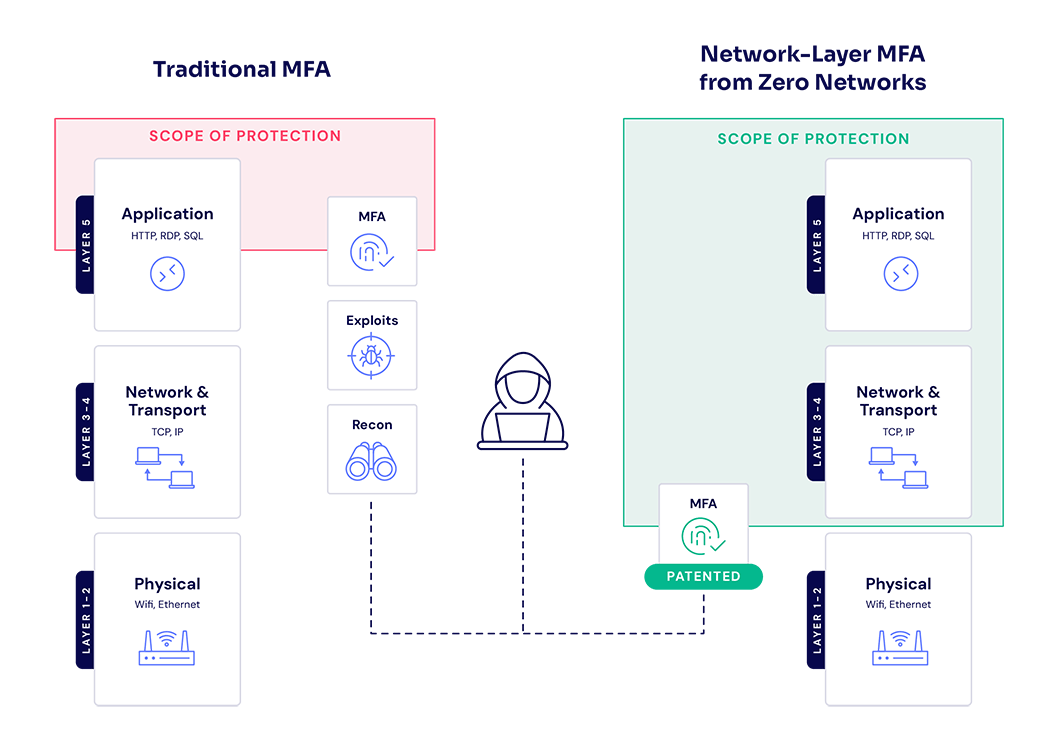
Most MFA can’t reach legacy applications, databases, OT and IoT devices, PaaS solutions, and the admin protocols that IT teams rely on every day to keep the business running.
Zero’s patented network-layer MFA can.
- Just-in-time verification for all privileged access
- Identity-based access to pre-approved assets
- Temporary access window
Zero to the rescue
Apply MFA to anything in a click
Every Sensitive Asset Secured
Finally, you can enforce MFA for legacy applications, databases, OT/IoT devices, mainframes, on-prem VMs, and IaaS VMs.
Just-in-Time Privileged Access
Tie MFA to the network layer to enable just-in-time access with self-service MFA on privileged ports.
Block Lateral Movement
Deny attackers any access to vulnerabilities, enforce just-in-time MFA for admin logons, and completely lock down lateral movement.
Non-SaaS Assets Are Vulnerable
Applying MFA to assets like legacy applications, databases, and OT/IoT devices is difficult.
False Sense of Security
Most MFA operates at the application layer, creating a false sense of security while exploitable vulnerabilities remain.
Hackers Can Move Laterally
Vulnerable assets and standing privileges make it easy for attackers to move laterally across your network – it only takes one open port or compromised credential.
Protect Legacy Applications
Protect Legacy Applications
Apply network-layer MFA to applications with no native MFA support – no changes to the application required.
MFA for RDP, SSH, and WinRM
MFA for RDP, SSH, and WinRM
Admin protocols are blocked by default. Zero Networks prompts users for just-in-time MFA verification before temporarily opening the port then automatically revoking access.
Secure OT and IoT Devices
Secure OT and IoT Devices
Enforce MFA on OT and IoT devices that can't run agents and can't be patched, without redesigning the network or disrupting operations.
Support Any Identity Provider
Support Any Identity Provider
Authenticate using your organization's preferred IdP – Duo, Okta, CyberArk – or via email and SMS.
Compliance and Cyber Insurance Ready
Compliance and Cyber Insurance Ready
Satisfy MFA, and privileged access control requirements for NIS2, DORA, PCI DSS, and cyber insurance.
Instant Time to Value
Instant Time to Value
One hour to deploy. No agents, no plugins, no professional services required.
How it Works
Privileged users are allowed to temporarily logon on pre-approved assets only after MFA

Learn More
Guide
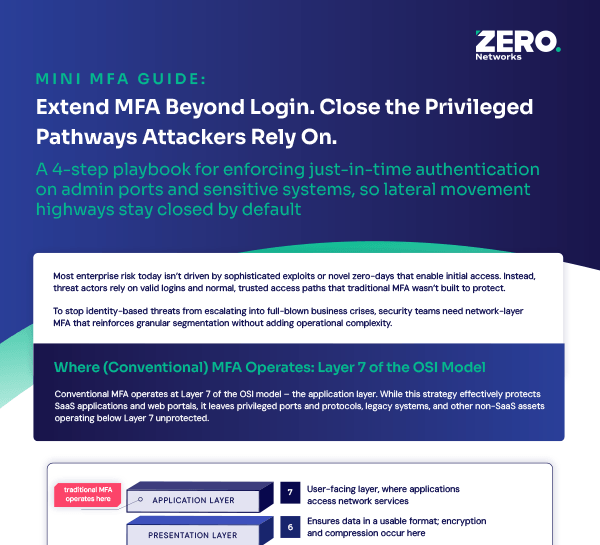
Mini MFA Guide: Extend MFA Beyond Login. Close the Privileged Pathways Attackers Rely On
A 4-step playbook for stopping identity-based attacks and closing MFA coverage gaps.
Download Now